Projects
The project is the practical unit of Google Cloud. Every resource belongs to exactly one project, and four things are scoped to it: billing linkage, enabled APIs, quotas, and most IAM. If a scenario mentions any of those, the answer is almost always "per project."
Creating and organizing
Start with the three identifiers a project carries - you choose the ID once, at creation, and can never change it, so pick carefully.
You can create a project either in the console or the CLI - both do the same thing and enforce the same immutable ID.
In the console, the New Project dialog derives the ID from the name and warns
It cannot be changed later.
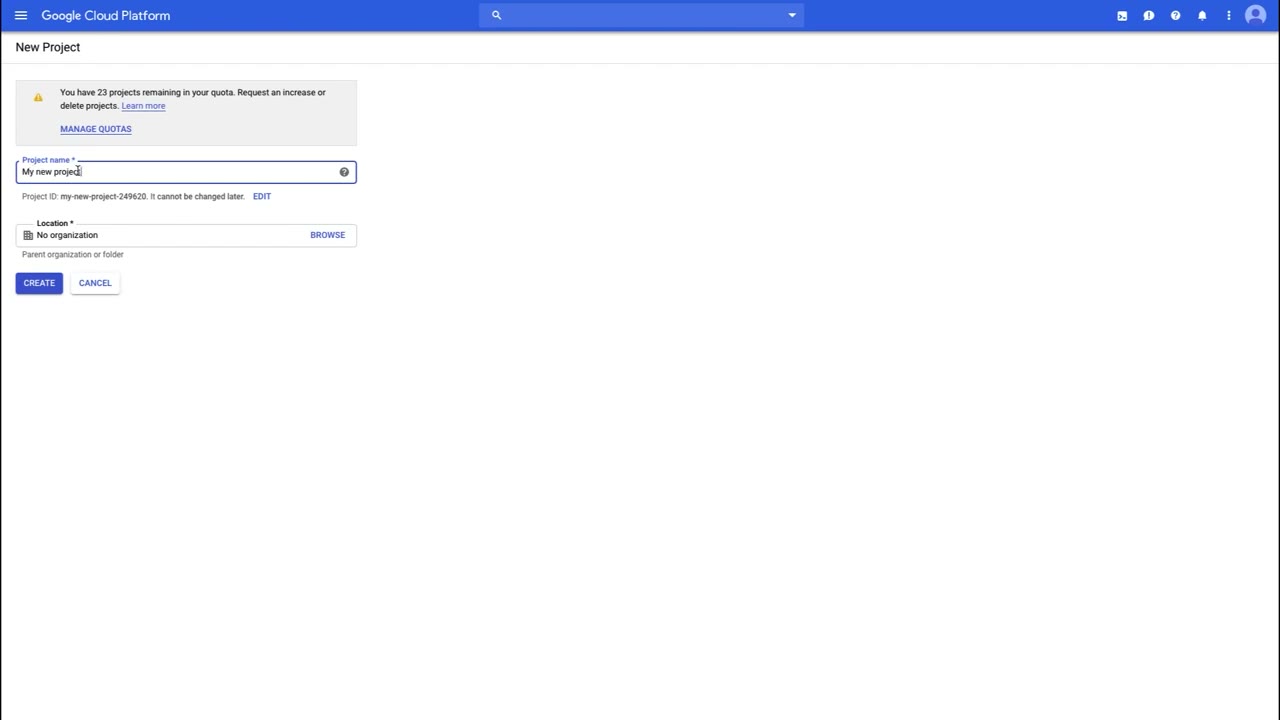
In the CLI, one command creates it and another makes it active:
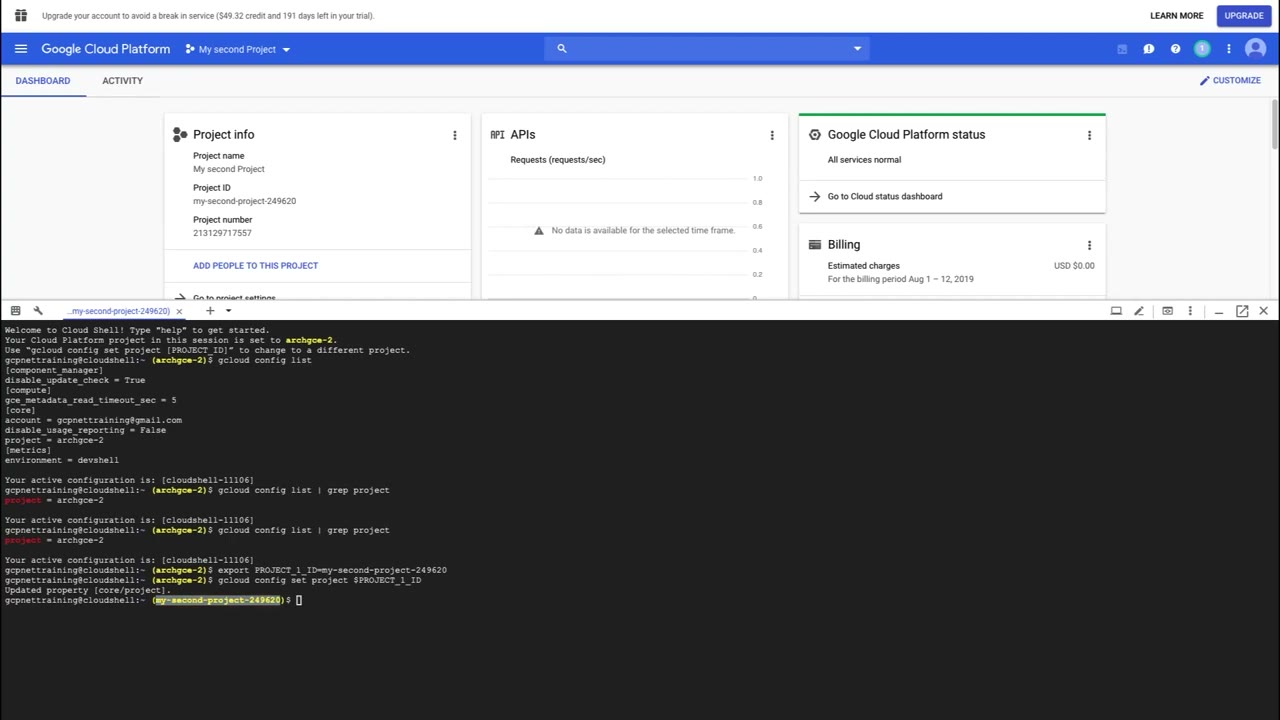
Switching the active project
The console project picker (top bar) and gcloud config set project both change which
project subsequent actions target. In Cloud Shell the two are independent: switching
the console picker does not move the shell, so set it explicitly.
The console Shut Down flow makes you retype the project ID to confirm. Billing and
traffic stop immediately, but deletion is only scheduled for 30 days later, so an
accidental shutdown is recoverable within that window. gcloud projects delete behaves
the same way.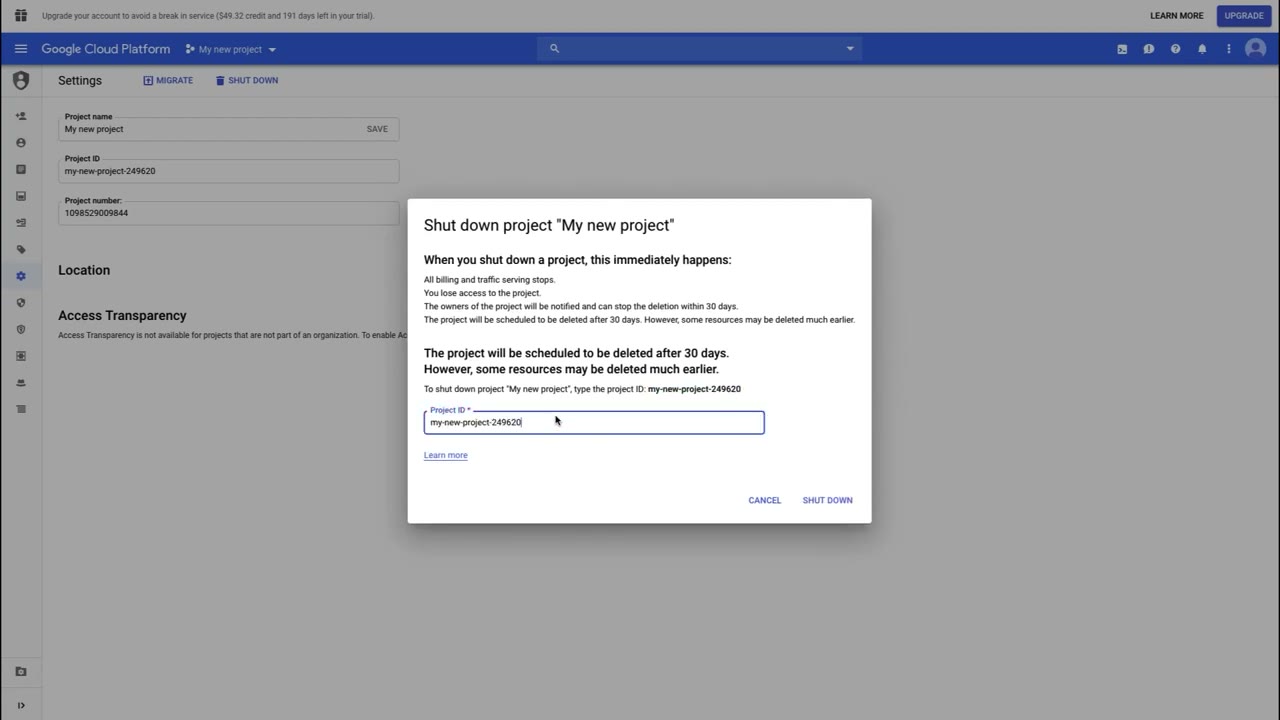
Enabling APIs
Every Google Cloud service is off by default. Before you (or gcloud) can use a product,
its API must be enabled on that project.
APIs are enabled per project. Copying a working deployment to a new project fails with
API not enabled until you enable the same APIs there. This is a common wrong-answer
distractor dressed up as a permissions problem.
Quotas
Quotas cap resource usage per project, per region (e.g. "CPUs in us-central1", "in-use external IPs"). They exist to prevent runaway spend, not to bill you.
- Rate quotas reset over time (API requests per minute).
- Allocation quotas are a ceiling on concurrent resources (VMs, IP addresses).
They exist for three reasons:
- Prevent runaway consumption from an error or malicious attack (imagine a typo that spins up 100 VMs instead of 10).
- Prevent billing spikes or surprises.
- Force sizing consideration and periodic review - do you really need that 96-core instance, or a smaller, cheaper one?
Hitting a quota returns a quota exceeded error even though you'd happily pay for more.
The fix is a quota increase request through the console (IAM & Admin → Quotas), which
Google reviews - it is not automatic. Exam scenarios about "can't launch more VMs" with
budget available point to quota, not billing.
Having quota does not mean the capacity exists. If a region is out of local SSDs, you cannot create a local SSD there even with unused local-SSD quota. Quota is the maximum you may create as long as those resources are available.
Recap
Quota 'CPUS' exceeded→Regional quota - request increaseBilling account ... disabled→Billing, not quotaAPI [x] not enabled→Enable the servicePermission denied→IAM role missing