TPU cloud architecture
The TPU overview covered the internal building blocks - TensorCores, MXUs, and how chips are arranged into pods and slices. This page shifts to the cloud architecture: how those TPUs are made available and scaled as compute resources for your workloads. The modern access model is the TPU VM - a VM running on a physical machine with attached TPU hardware, which you reach directly over SSH.
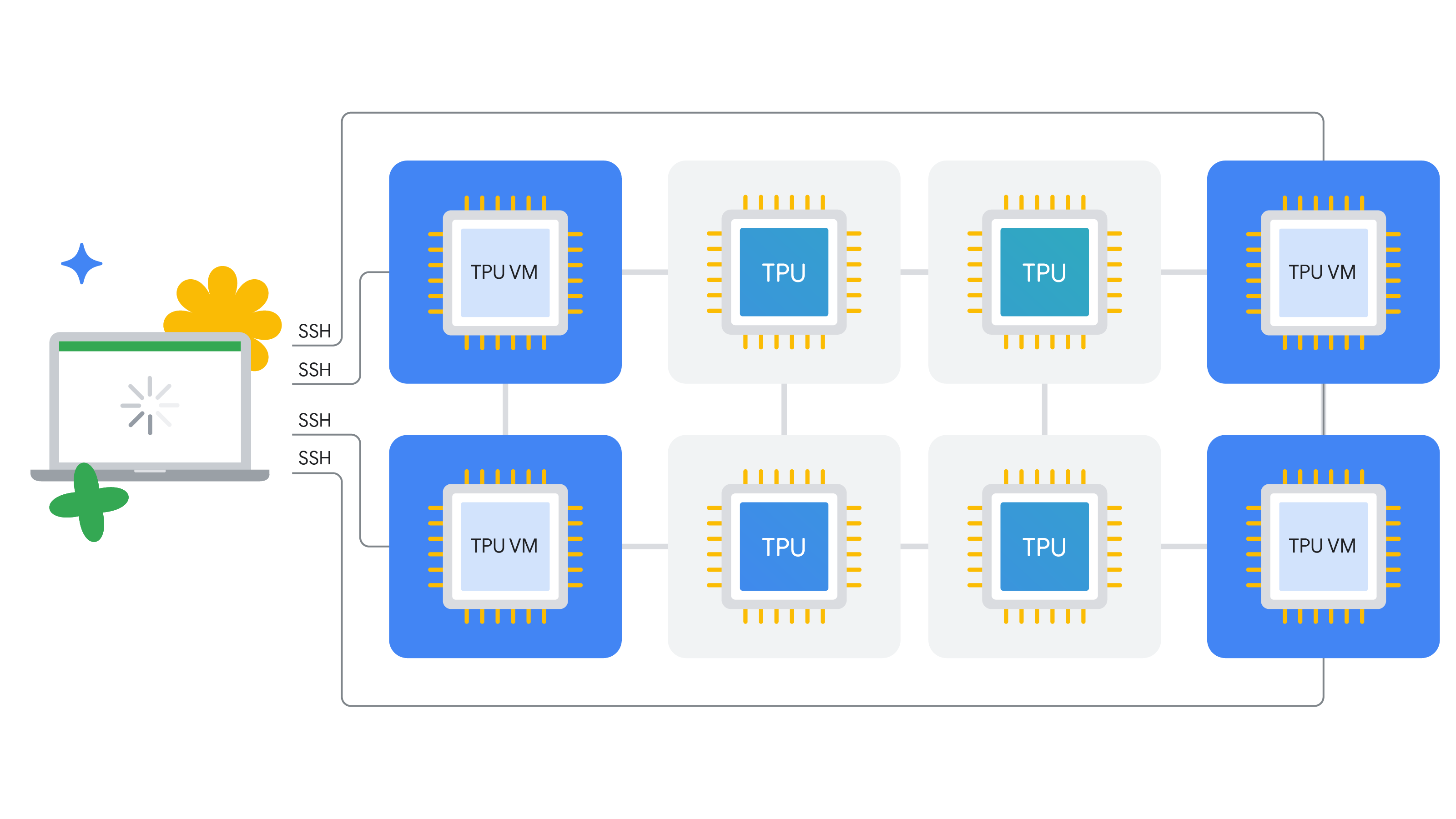
How to use TPU VMs
You have flexibility in how you consume TPU VMs. Two broad paths:
| Path | What it is | Use when |
|---|---|---|
| Direct | Launch and manage TPU VMs yourself (SSH in). Granular control over the environment. | You want full control over the VM and runtime. |
| Managed services | Reach TPUs through higher-level services - Agent Platform or GKE - for streamlined, integrated workflows. | You want managed orchestration instead of hand-managing VMs. |
The two managed entry points:
- Agent Platform - Google Cloud's comprehensive end-to-end ML platform, simplifying everything from data preparation to model deployment.
- Google Kubernetes Engine (GKE) - ideal for orchestrating containerized ML workloads at scale.
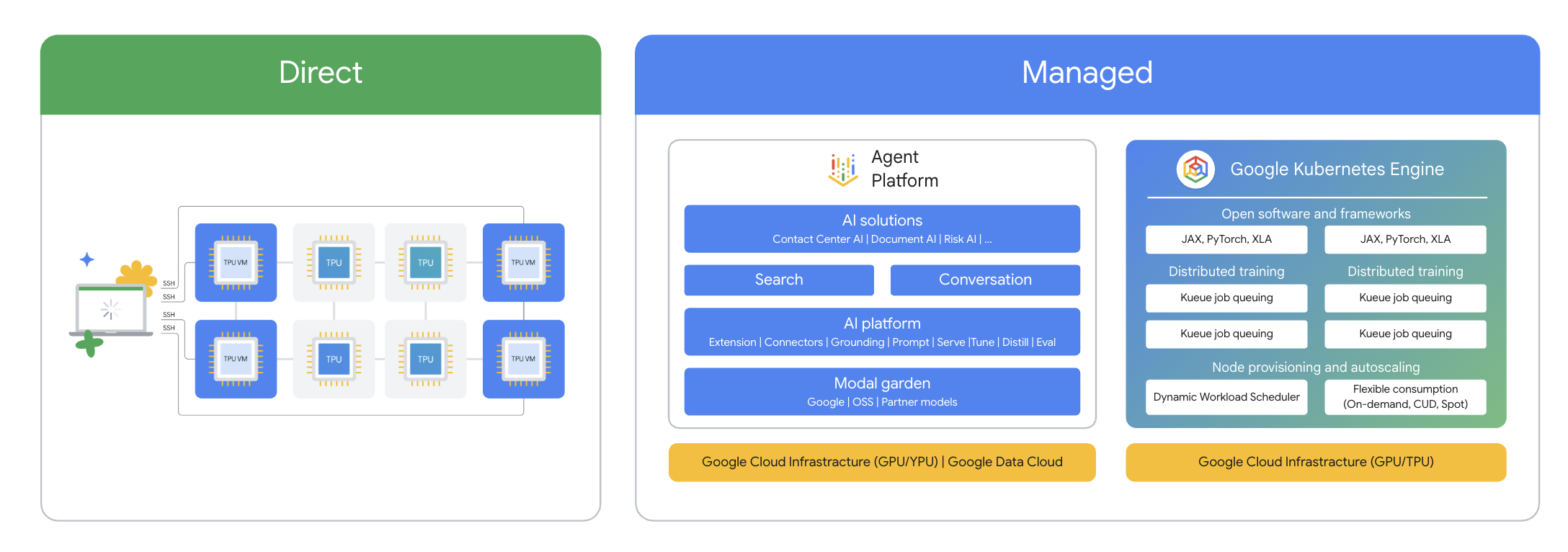
No matter which path you choose, at its core you are leveraging the underlying TPU VM architecture.
Scaling: single, multi, and sub-host
A TPU host is a VM running on a physical computer with attached TPU hardware. You size a job by specifying how many VMs and TPU chips it uses. Three configurations:
- Single-host - the entire workload runs on one TPU VM. Best for smaller models, initial experiments, or needs that fit one TPU device. Compute is confined to that one VM and its attached chips.
- Multi-host - work is distributed across multiple TPU VMs that communicate over Google's high-speed interconnects (the same interconnects that wire TPU pods and slices together). Essential for training very large models that need immense parallel compute and data parallelism; enables significantly faster training on demanding tasks.
- Sub-host - the job uses only a portion of the chips on a single TPU VM. Useful for small experiments, development, or packing multiple independent small jobs onto one VM. Gives finer-grained resource allocation and more cost-efficient usage for smaller-scale tasks.
- Single-host: 1 VM, its attached chips only.
- Multi-host: many VMs, connected over the inter-chip interconnect.
- Sub-host: 1 VM, a subset of its chips.
Multi-host workloads do not fall back to ordinary networking between VMs - they communicate over the same high-speed inter-chip interconnect that links pods and slices. That is what makes distributed TPU training fast; it is not standard VM-to-VM traffic.